Video Maker
Describe the video, get a finished cut: script, footage, voice.
Turns a brief — product photos or just an idea — into a finished video: script, shot list, footage, voiceover, and a final cut you review before anything goes out.
Install it in 3 steps
No sign-up. No CLI tools. Pick your AI, copy one line, paste it over.
Prefer doing it yourself? Download the ZIP, unzip it into the directory shown above, restart your AI session — same result.
Real-world proof
Real people did this exact job with AI agents.
Turn product photos into video ads with an ad agent
Read case →Use caseTurn ideas into finished videos
Read case →What’s inside
One SKILL.md (the playbook) + one starter template. A preview:
Video Maker
When to use
- You have product photos and need a short video ad (15–60 seconds) without hiring a production crew
- You have an idea for a video — an explainer, a promo, a social clip — and want it turned into a finished file
- You need a voiceover and don't want to record one yourself
- You want to iterate on scenes cheaply instead of reshooting
- A marketing channel needs steady video content and you want the pipeline, not a one-off
Workflow
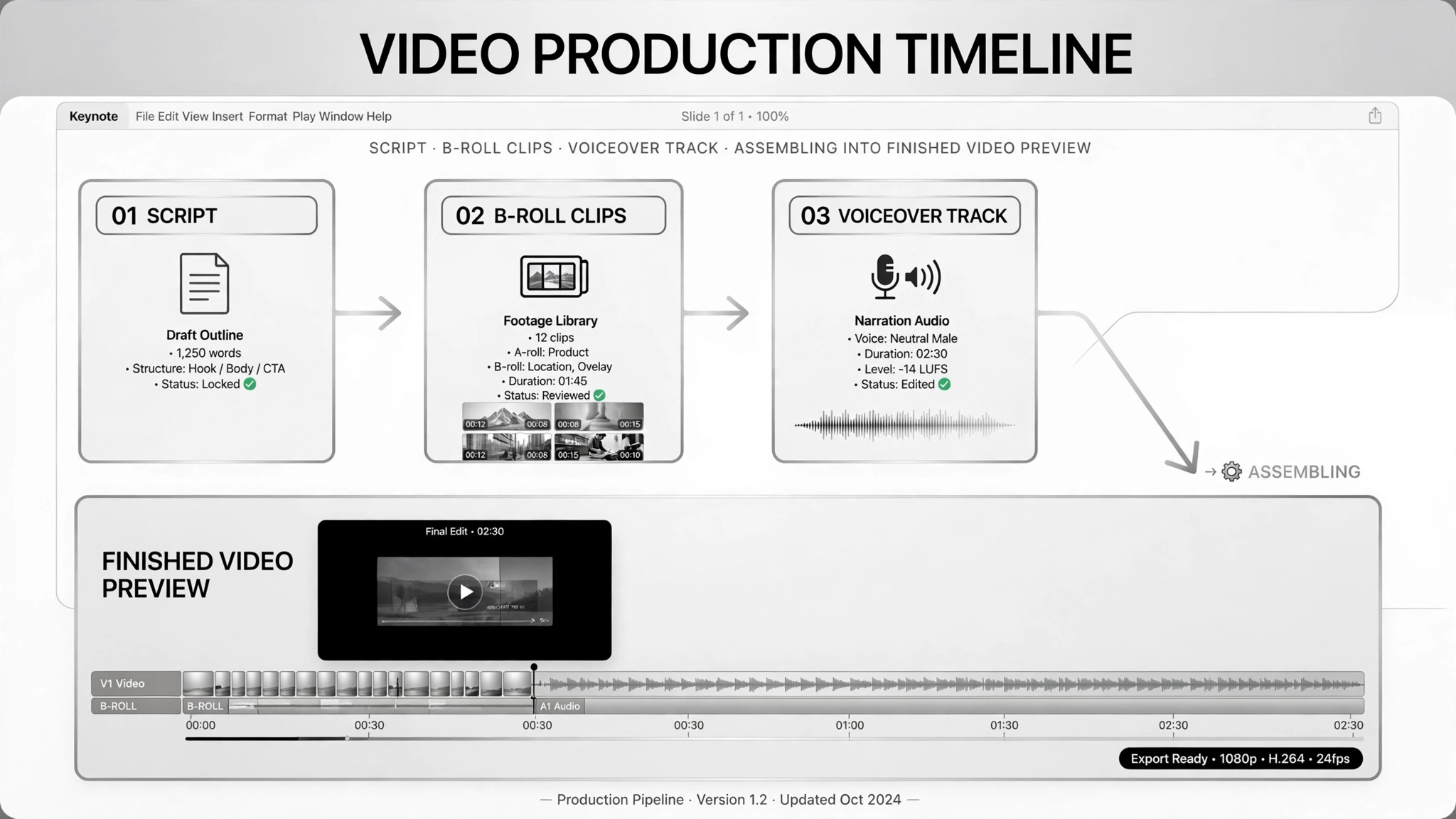
Get three things in writing: what the video is about, who it's for, and how long it should be. In one real case the input was just "product photos + target audience description"; in another, a plain idea plus audience and target length. Everything downstream — script, tone, shot list — leans on this.
- Lock the brief (input: photos / idea + audience + length → output: brief)
Break the video into shots with a script and per-shot notes (what happens, what the voiceover says). Get your approval on the script before any footage is made — fixing a sentence now costs nothing; reshooting a scene later costs everything.
- Write and approve the script first (input: brief → output: approved script + shot list)
Generate b-roll per shot from the shot prompts, or assemble existing photos and clips. One real case generated b-roll from ad scripts and kept the per-shot generation prompts so any single bad shot could be re-run alone without rebuilding the whole video.
- Generate or assemble the footage (input: shot list → output: raw clips)
Write the voiceover copy from the script and synthesize or record it in the target tone, then mix voice, footage, effects, and music together. The idea-to-video case did this as a distinct step: picture, motion, voiceover, and music mixed as one pass.
- Add voiceover and sound (input: raw clips + script → output: assembled cut)
Export a review copy and send it to the human. The deliverable includes the per-shot prompts and a note on "what the second version would change" — so iteration is fast. Review for brand fit, facts, and anything that feels off: in the real case, "where it's awkward only a human can see" was the explicit acceptance criterion.
- Export and review (input: assembled cut → output: review copy)
Re-do only the shots that are bad; leave the good ones alone. One case's agent output the prompt for each shot specifically so a failed scene could be regenerated in isolation. Approve the final cut, then publish — publishing is human.
- Iterate on scenes, not the whole video (input: review notes → output: final video)
Output spec
- Brief: subject, target audience, target length, tone
- Approved script with per-shot breakdown (shot, visuals, voiceover lines)
- Final video file in the agreed format and