Inbox Triage
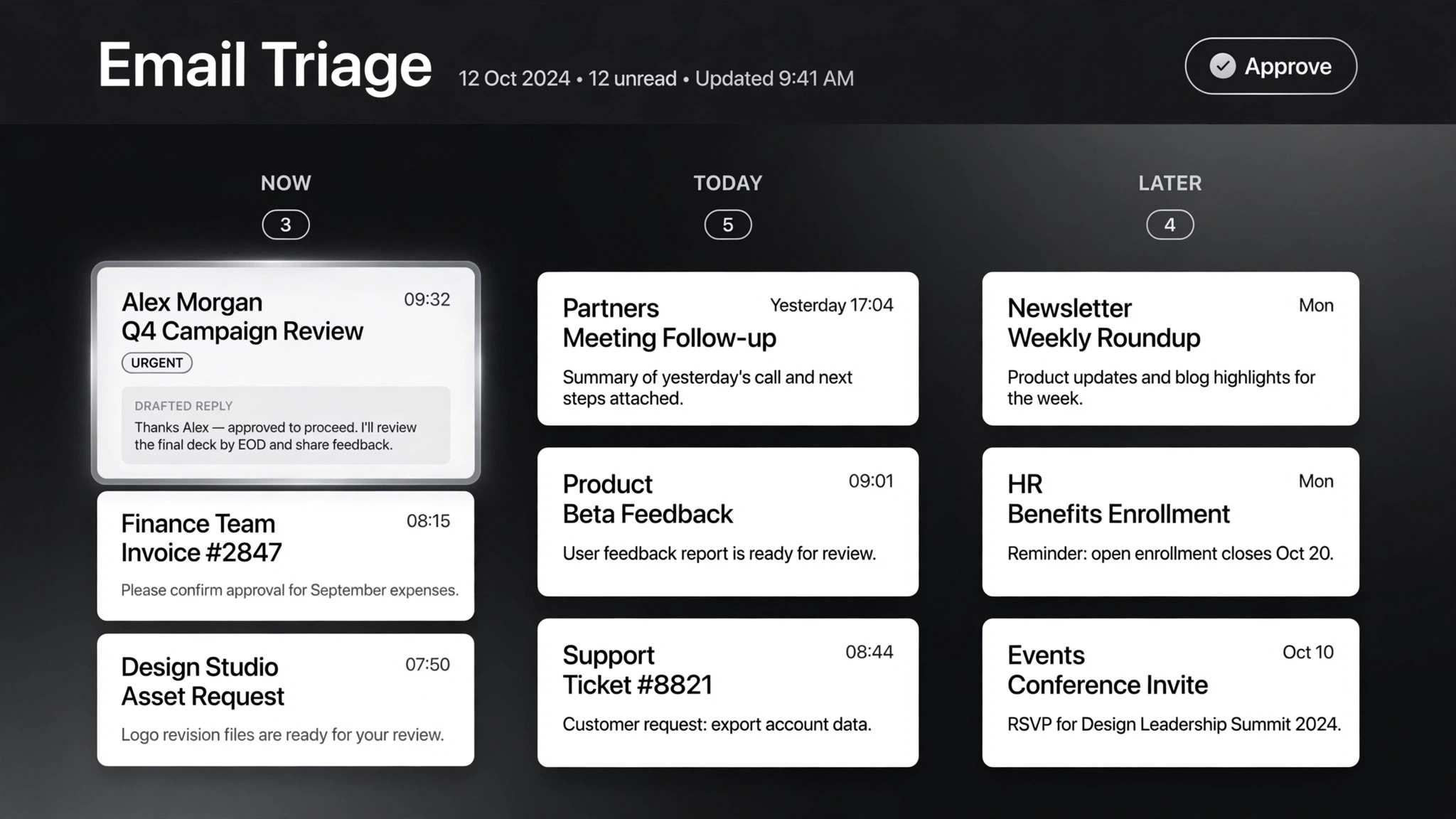
Your inbox, pre-read: urgent flagged, replies drafted, you just hit send
Turns your AI into an inbox triage assistant — classifies email by urgency and intent, looks up order and customer context, drafts replies in your voice, and holds everything for one-click approval. Nothing sends itself.
Install it in 3 steps
No sign-up. No CLI tools. Pick your AI, copy one line, paste it over.
Prefer doing it yourself? Download the ZIP, unzip it into the directory shown above, restart your AI session — same result.
Real-world proof
Real people did this exact job with AI agents.
Triage support emails and draft refund-policy replies
Read case →Use caseHandle incoming emails with automatic triggers
Read case →What’s inside
One SKILL.md (the playbook) + one starter template. A preview:
Inbox Triage
When to use
- You wake up to 50+ unread emails and need the urgent ones surfaced before your coffee cools
- You run customer support and every reply needs order details looked up before it's written
- You're a founder whose inbox is three accounts stitched together and nothing gets answered twice
- You want drafted replies in your tone, but you refuse to let AI send anything without your approval
- Invoice emails, refund requests, and angry customers all land in the same pile and need different handling
Workflow
Set up the feed first: Gmail/Outlook triggers, or a scheduled fetch every 15–30 minutes. One inbox or three — the triage logic doesn't care, but tell it which addresses are yours so it never drafts a reply to itself. Decide the batch rhythm: real-time for support, twice-daily digest for personal.
- Connect the inbox (input: your email access → output: live mail feed)
Every email gets two labels. Urgency: now (customer blocked, money moving, boss asking), today (needs a reply, nothing burning), later (FYI, newsletters, can wait). Intent: question, complaint, request, invoice/billing, spam/noise. Write your classification rules down once — "anything with 'urgent' from a paying customer = now", "receipts auto-file, never surface" — the skill follows them literally.
- Classify before reading (input: raw emails → output: urgency × intent labels)
For anything labeled "now" or "today", look up what the sender is talking about before drafting: order status, previous thread, account tier, attached invoices. A reply drafted without context is worse than no reply — it invents. If the lookup comes back empty, the draft says so instead of guessing.
- Gather context (input: labeled email → output: enriched brief)
Draft against your tone guide: short or thorough, formal or blunt, sign-off style. Match the customer's language. Every draft includes the facts it used (order #123, policy §4) so you can verify in one glance. Hard or angry cases get flagged for escalation, not drafted — some emails need a human from the first word.
- Draft in your voice (input: enriched brief → output: reply draft)
Nothing sends itself. You get a queue: each item shows the original email, the labels, the draft, and one-click approve / edit / skip. This is the load-bearing wall of the whole skill — the 36 real-world cases this was distilled from all converge here: approve outbound, always.
- Hold for approval (input: drafts → output: approval queue)
After a week, review what you kept editing. "You always soften the refund refusals" becomes a tone rule. "You always escalate anything mentioning lawyers" becomes a classification rule. Th
- Learn the patterns (input: your approvals → output: tighter rules)