Portfolio Tracker
Your holdings, watched on autopilot, reported on a schedule.
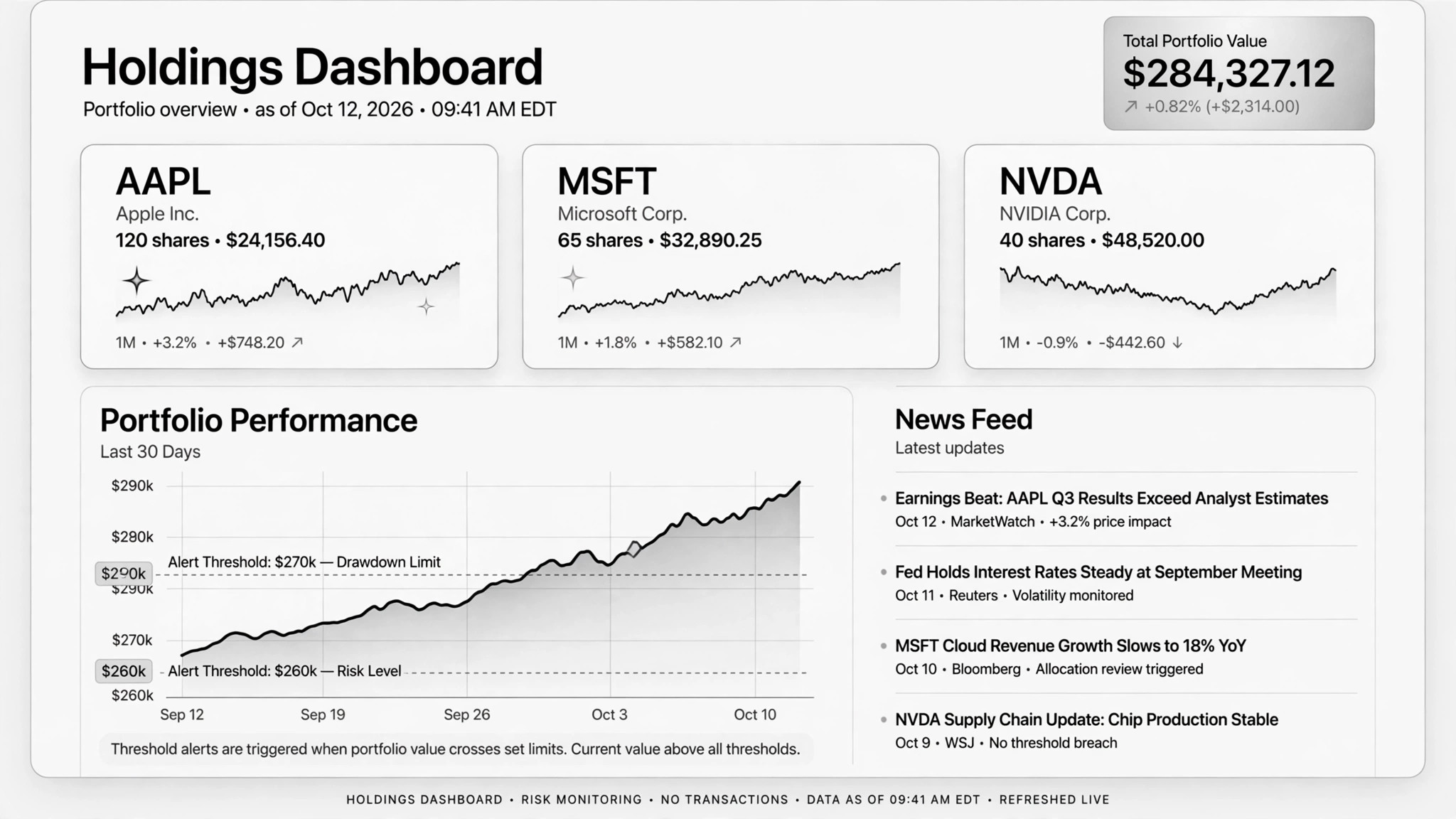
Helps AI watch your investments on autopilot — logging holdings and watchlist changes over time, writing periodic research reports with bull/bear cases, and alerting when your own thresholds break. For long-term holders who want analysis without the day-trading noise.
Install it in 3 steps
No sign-up. No CLI tools. Pick your AI, copy one line, paste it over.
Prefer doing it yourself? Download the ZIP, unzip it into the directory shown above, restart your AI session — same result.
Real-world proof
Real people did this exact job with AI agents.
Research stock positions as an AI analyst
Read case →Use caseTrack investments over time via Claude Code and Robinhood MCP
Read case →What’s inside
One SKILL.md (the playbook) + one starter template. A preview:
Portfolio Tracker
When to use
- You hold a dozen stocks and can't keep up with the news on all of them every week
- You keep a watchlist of companies you might buy and want to hear about them only when something matters
- You want a regular, structured look at your portfolio — performance, news, and risk — without paying for a research subscription
- You've set yourself risk limits but never actually check whether they've been breached
- You keep a running investment journal and want it updated from real data, not memory
Workflow
Hook up the data source — an official broker MCP or API — and verify the permission is read-only before anything else. The connection must be able to see holdings but unable to trade. This is a hard gate: no read-only, no tracker.
- Connect in read-only (input: brokerage account or data feed → output: confirmed read-only connection)
List current holdings (ticker, position size, entry date, entry price) and the watchlist with why each name is on it. Snapshot everything into a log file the first run — that baseline is what every future comparison runs against.
- Define what you hold and what you watch (input: positions + watchlist → output: tracking sheet)
Write the lines you care about: "alert me if any position drops 15% from entry," "flag if a holding falls below its 200-day average," "tell me about insider selling over $1M." These are yours to set, not the AI's — it enforces them, it doesn't choose them.
- Set your risk lines (input: your risk tolerance → output: alert thresholds)
On a cadence you pick (weekly or twice-weekly works), the AI pulls fresh prices and news for holdings and watchlist, then writes a report: per-name news summary, the bull case and bear case in plain words, scenario notes, and which thresholds broke. One real case runs this twice a week across 15 tickers.
- Run the research pass on schedule (input: tracking sheet + fresh news/prices → output: research report)
Every run appends to the journal: date, prices, what changed, what was flagged. You read the report and make every buy and sell decision yourself. The tracker never recommends a trade — it shows you what happened and what's near your lines.
- Log everything, decide yourself (input: research report → output: updated investment journal)
Output spec
- One research report per run: per-holding news, bull/bear case, scenario notes, threshold flags
- A running investment journal: dated entries with prices and changes, readable months later
- Alerts only when YOUR thresholds break — no noise, no "stock of the day" upsells
- Numbers dated and sourced: every price carries its date, every news item its source and date
- Companion template.md tracking sheet — holdings, watchlist, thresholds i