Grading Assistant
Papers graded against your rubric, with feedback per student.
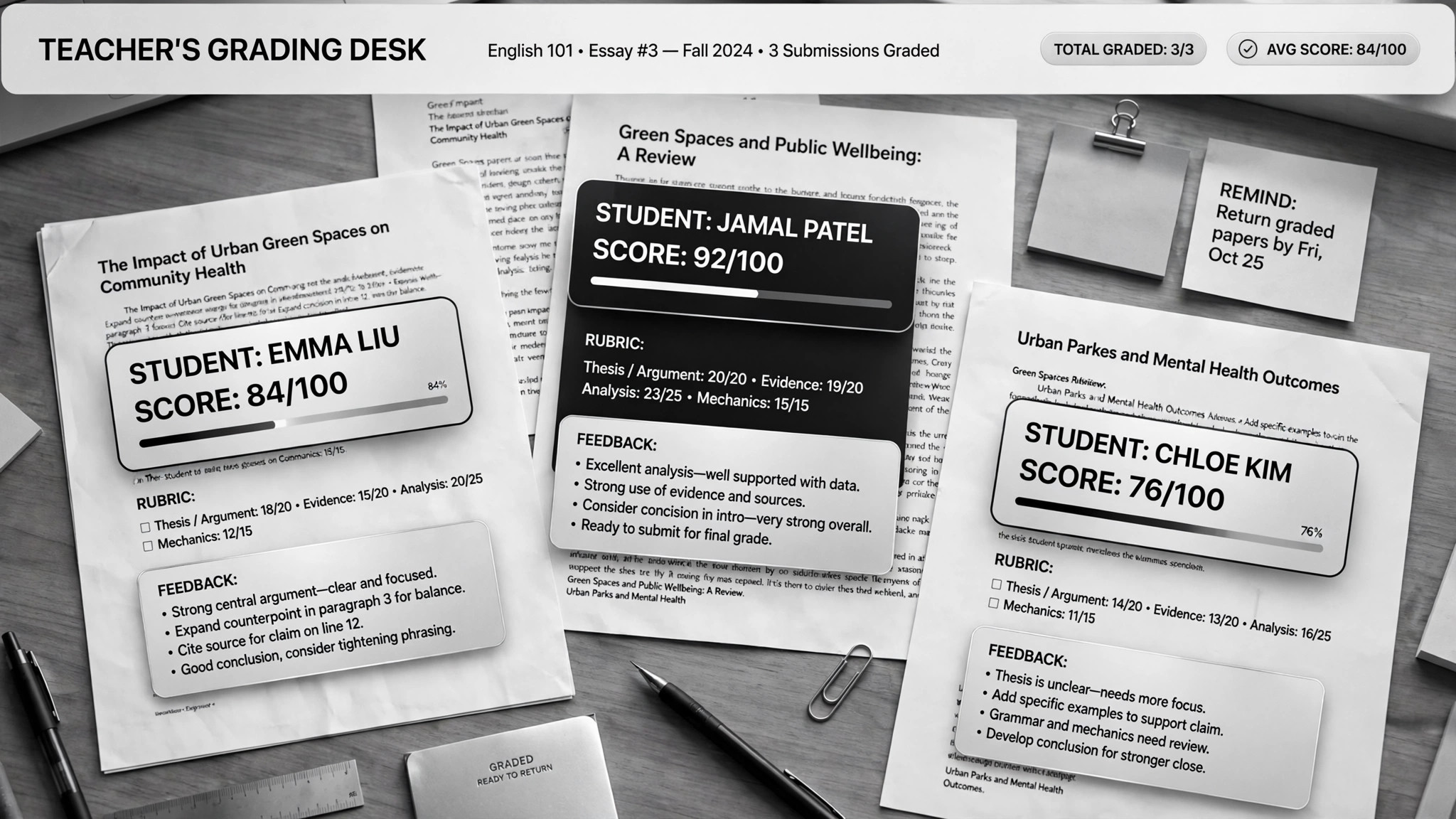
Helps AI grade papers against your rubric and write personalized feedback for every student — plus generate review materials from the most common mistakes. For teachers drowning in essays who still want every kid to get useful feedback.
Install it in 3 steps
No sign-up. No CLI tools. Pick your AI, copy one line, paste it over.
Prefer doing it yourself? Download the ZIP, unzip it into the directory shown above, restart your AI session — same result.
Real-world proof
Real people did this exact job with AI agents.
Grade papers and build lessons with Claude Cowork
Read case →Use caseGrade papers and build lesson plans for teachers
Read case →What’s inside
One SKILL.md (the playbook) + one starter template. A preview:
Grading Assistant
When to use
- You have 30+ essays to grade against a rubric and the weekend is disappearing
- Every student should get real feedback, not a score and a "good job"
- You want to spot what the whole class got wrong and turn it into next week's review
- You teach the same course across sections and need grading to stay consistent
- You need lesson plans or review slides built from actual student mistakes, not your memory of them
Workflow
Set up one AI project per course and feed it the syllabus, your rubric, past exams, model answers, and course materials. One real case keeps a separate project per course so the grading stays anchored to that course's standards. A rubric written for a colleague, not for yourself, is the bar — the AI grades what it says, not what you meant.
- Build the grading project (input: syllabus, rubric, sample answers → output: per-course project)
Strip names before grading: student papers get anonymous numbers. This keeps the grading honest and protects student privacy. Feed readable digital files — scans need to be legible or the grading degrades silently.
- Anonymize the submissions (input: student work → output: numbered, ID-free batch)
The AI scores each submission against every rubric criterion separately, with a short justification per criterion. It doesn't invent the rubric as it goes — every score points at a criterion. Borderline and low-confidence grades get flagged for your review; the easy agreements flow through.
- Grade criterion by criterion (input: rubric + submissions → output: scored batch + flagged borderlines)
Each student gets personalized comments: what they did well (citing their actual words), what cost them points (citing the criterion), and one concrete thing to fix next time. A feedback comment that could apply to any student applies to none of them — send it back.
- Write real feedback (input: graded batch → output: per-student feedback)
Aggregate the criterion scores across the class to find the hot spots: the two rubric rows where everyone bled points. Turn those into next week's review — slides or a lesson plan built from the actual wrong answers, not from what you remember being hard. Never touch the original submission files; scores live in a separate sheet.
- Mine the mistakes for teaching (input: full batch results → output: class trends + review materials)
Review the flagged borderlines, spot-check a handful, then approve. The AI proposes; you dispose. Educational responsibility doesn't delegate — final grades are always the teacher's call.
- You set the final grades (input: scored batch → output: confirmed grades)
Output spec
-
- Per submission: score per rubric criterion with one-line justification each