File Organizer
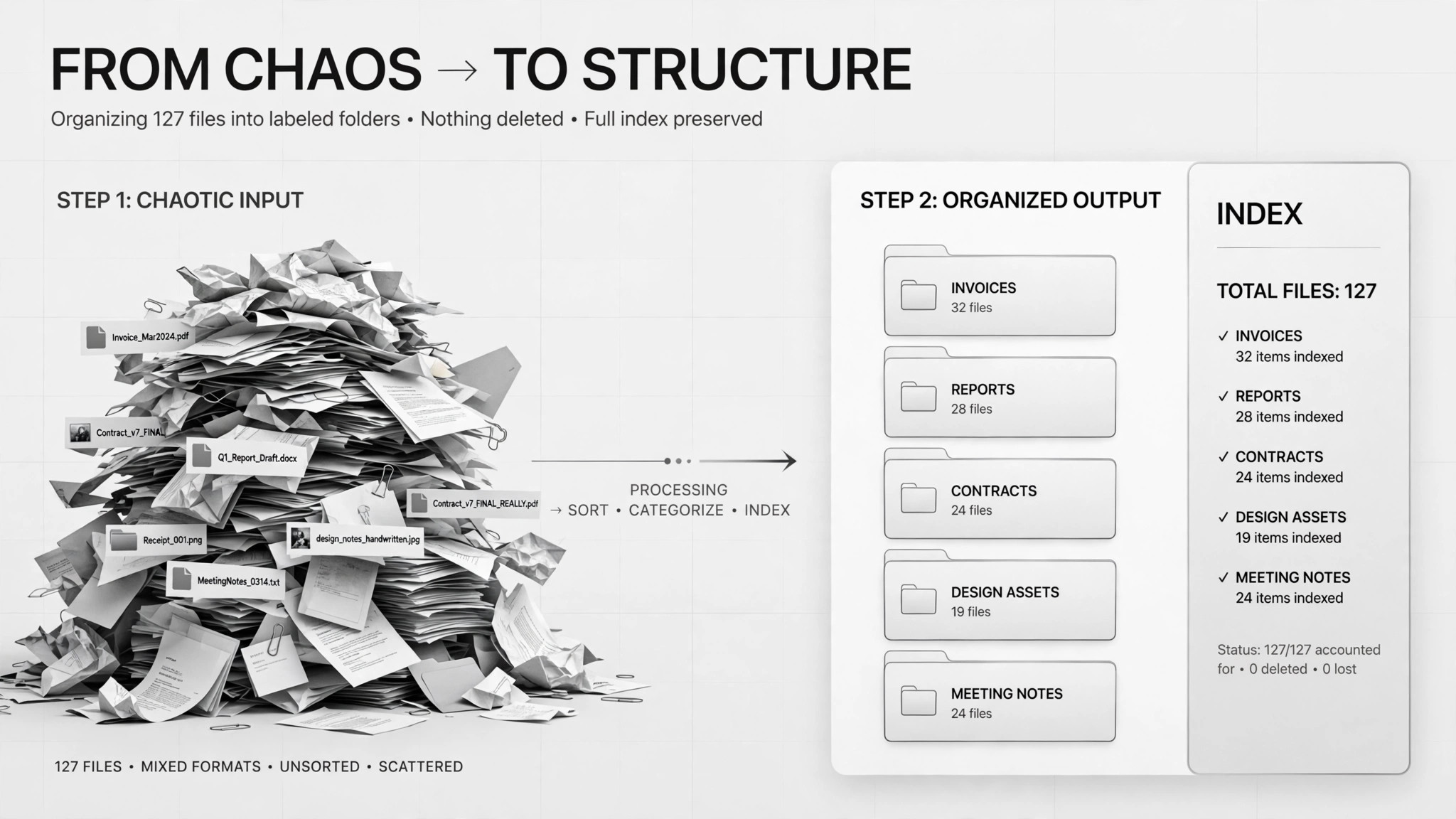
Files sorted into folders with an index — nothing deleted.
Turns a mountain of unsorted files into labeled folders with an index — it proposes a grouping plan for your approval first, then moves (never deletes) everything into place.
Install it in 3 steps
No sign-up. No CLI tools. Pick your AI, copy one line, paste it over.
Prefer doing it yourself? Download the ZIP, unzip it into the directory shown above, restart your AI session — same result.
Real-world proof
Real people did this exact job with AI agents.
Sort 400 PDFs into folders
Read case →Use caseSort 2,200 Downloads files into folders with summaries
Read case →What’s inside
One SKILL.md (the playbook) + one starter template. A preview:
File Organizer
When to use
- Your Downloads folder has thousands of files and finding anything takes minutes
- A project folder is full of PDFs (contracts, reports, receipts) with no structure
- You inherited a shared drive where nobody knows what goes where
- You want an index spreadsheet showing where everything ended up after the cleanup
- Files are duplicated or misnamed and you need them sorted before a move, backup, or audit
Workflow
Count and list everything first — file names, sizes, dates. In a real case with 2,200 Downloads files, the agent's first deliverable was just a count and a plan, not action. You can't organize what you haven't seen.
- Inventory the folder (input: messy folder path → output: full file list)
Draft the folder structure (by client, type, year — your call) and write a one-sentence summary of what goes in each group. The real cases both required this as a written plan before anything moved: the 400-PDF case included a sample assignment of files to folders so the human could spot misfits.
- Propose a grouping plan with summaries (input: file list → output: folder scheme + per-group summary)
You review the plan, fix the grouping rules, and approve. This is the mandatory gate — one case put "the grouping plan must be approved by a human" as an explicit hard rule. Anything you don't understand goes to a "review" folder, not a guess.
- Get human approval (input: grouping plan → output: approved plan)
Move files into the approved folders. Never delete anything — duplicates and old installers get their own group, not the trash. In the 2,200-file case, suspicious files went into a separate "needs review" folder rather than being sorted by assumption.
- Move files, never delete (input: approved plan → output: organized folders)
Generate a spreadsheet: file name, new location, date, summary. This is your map back — without it, a reorganization is just a different kind of mess. Optionally, rename cryptic files only after you confirm each rename.
- Build the index (input: organized folders → output: index spreadsheet)
Output spec
- Full file inventory before organizing (count + list)
- Grouping plan: folder names, the rule for each, and a one-sentence summary per group
- Sample assignment: a handful of files shown in their proposed folders for approval
- Organized folders on disk — move only, nothing deleted
- "Needs review" folder for anything unclassified or suspicious
- Index spreadsheet: file name → new location, with dates and summaries
- Optional: rename log, only for renames the human confirmed
Good vs. bad examples
- ❌ Bad plan: "I've sorted your files into folders. Done." (moved without asking, no record)
- ✅ Good plan: "2,200 files inventoried. Proposed: /