Content Repurposer
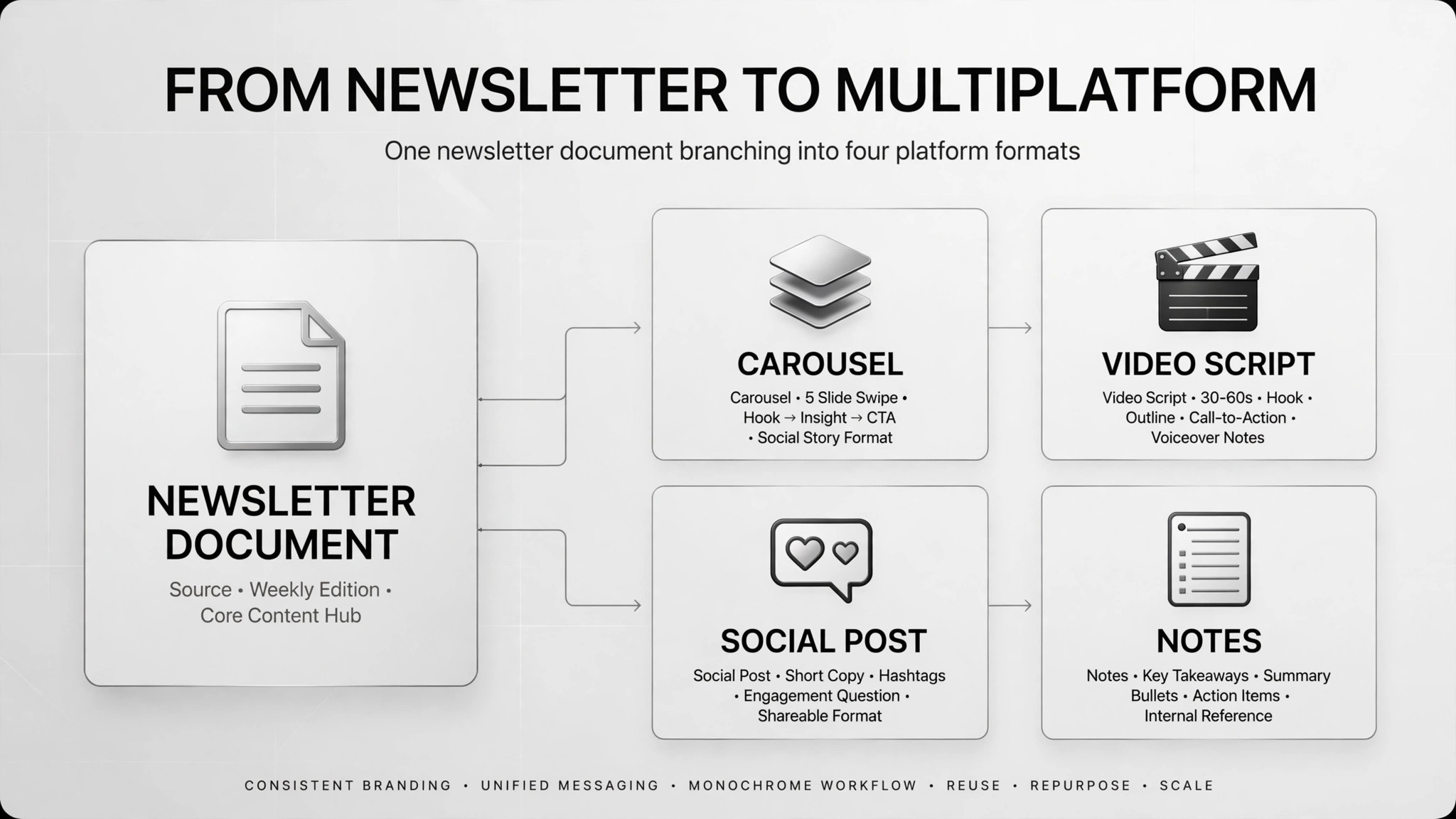
One newsletter in, a week of social content out.
Turns one finished long-form piece into a week of social content — carousel outlines, short-video scripts, posts — without inventing facts.
Install it in 3 steps
No sign-up. No CLI tools. Pick your AI, copy one line, paste it over.
Prefer doing it yourself? Download the ZIP, unzip it into the directory shown above, restart your AI session — same result.
Real-world proof
Real people did this exact job with AI agents.
Repurpose a newsletter into social content
Read case →Use caseBuild a newsletter-to-social content agent (it failed)
Read case →What’s inside
One SKILL.md (the playbook) + one starter template. A preview:
Content Repurposer
When to use
- You published a newsletter and want LinkedIn posts, carousel outlines, short-video scripts, and notes from it without writing from scratch
- You have a blog post or whitepaper and need a week's worth of social content that stays faithful to the original
- Your content cadence outpaces your writing time and one solid idea must stretch across 3–4 platforms
- A teammate writes the long-form piece and you need a repeatable way to adapt it per platform
- You're building a content flywheel and need the "one in, many out" step standardized with quality guardrails
Workflow
Paste the full newsletter or blog post. Extract the real insights, hooks, claims, and numbers — each tagged with where it appeared in the original. Nothing enters the pipeline without a source to point back to.
- Feed the original (input: finished long-form piece → output: source text + fact list)
Collect your own samples that sound like you and write down what makes them yours: sentence length, tone, words you never use. A voice guide can't be handed to you — it has to be built from your writing over time, and it's what keeps rewrites from sounding generic.
- Set the voice rules (input: 3–5 of your past pieces → output: voice guide)
Decide which insight goes to which format: carousel outline, 60-second video script, LinkedIn post, short note. Not every insight fits every format — cut before writing, not after.
- Map one-to-many (input: fact list + insights → output: platform plan)
Rewrite each piece in that platform's native shape: hook-first for video, slide-by-slide for carousels. Keep every fact traceable to the original piece. Flag anything unverified instead of smoothing it over.
- Rewrite per platform (input: platform plan + voice guide → output: drafts)
Verify every number, quote, and claim against the original. Anything that came only from the agent gets flagged or deleted. This step is not optional — one real case let a free agent run without it and shipped fabricated data; only a fixed workflow with per-step guardrails was reliable.
- Fact-check pass (input: drafts → output: flagged draft set)
A human reviews, edits, and approves every piece. Only approved pieces go into the scheduler. Review the flagged items first — they're usually where the agent got creative.
- Approve and schedule (input: clean drafts → output: scheduled posts)
Output spec
- Per source piece: carousel outline, short-video script(s), LinkedIn post(s), short note(s)
- Each piece carries: source insight, facts used (with origin), target platform, target length
- Flagged-items list: anything unverified, with a proposed resolution (cut / re-source / label as opinion)
- One batch doc per source piece so everyt