Booking Assistant
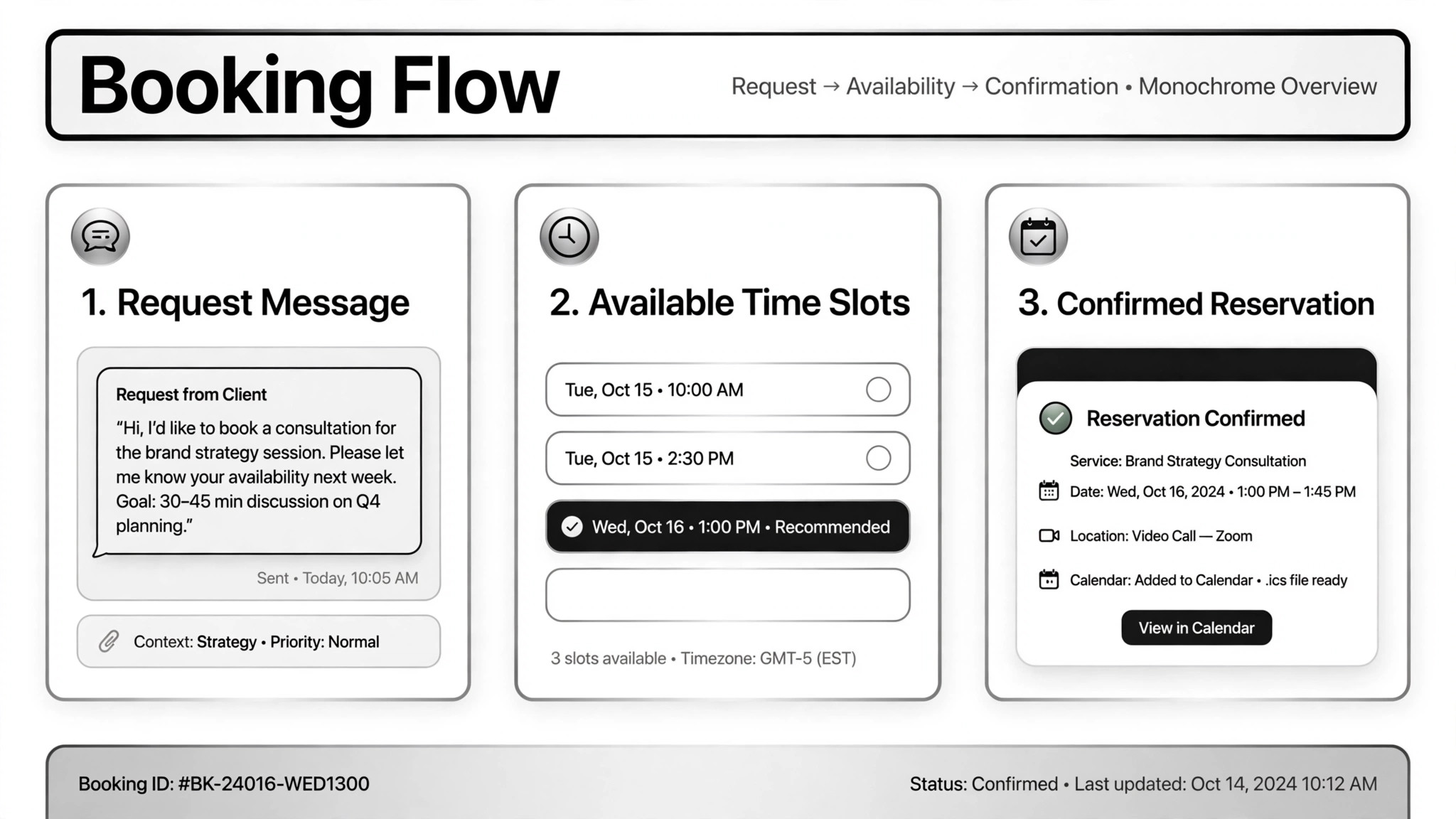
Turn a booking request into a confirmed reservation.
Turns a booking request into a confirmed reservation — it collects the details, checks real availability, books the slot, and logs it; nothing that costs money happens without your approval.
Install it in 3 steps
No sign-up. No CLI tools. Pick your AI, copy one line, paste it over.
Prefer doing it yourself? Download the ZIP, unzip it into the directory shown above, restart your AI session — same result.
Real-world proof
Real people did this exact job with AI agents.
Qualify real estate leads and book viewings
Read case →Use caseHandle restaurant reservations over WhatsApp
Read case →Use casePlan and book a movie date night
Read case →What’s inside
One SKILL.md (the playbook) + one starter template. A preview:
Booking Assistant
When to use
- Your restaurant gets reservation requests on WhatsApp and you want them handled without staff typing back and forth
- Real estate inquiries arrive over chat and need qualifying questions plus viewing appointments on the agent's calendar
- A customer wants to book a night out — movie, dinner, plans — from a single message
- You want an AI phone assistant that answers calls, checks tables, books, changes, or takes orders
- Bookings need to land in your calendar, CRM, or order sheet automatically so nothing falls through
Workflow
Get the essentials: what, when, how many people, budget, contact info. A real estate case on Telegram always started with name, phone, and email before asking about budget, area, and bedroom count. Don't guess at missing details — ask, and keep the questions to the minimum needed.
- Collect the request (input: customer message → output: booking details)
Check the actual source: the reservation system, table plan, calendar, or listings. The WhatsApp restaurant case checked the real booking sheet, not a guess at capacity; the voice assistant checked Google Calendar and tables live during the call. If there's no real availability source connected, stop here — never confirm a booking you can't verify.
- Check real availability (input: booking details → output: available slots)
Bookings that follow normal rules can be confirmed directly; anything unusual — overbooked slots, special requests, high-value clients — goes to a human first. One real case showed the confirmation draft to the shop owner before sending it. Money-related steps (deposits, ticket purchases) always pause for the human: in the movie-night case, the agent opened the ticket page, picked the seat, then stopped and handed over for payment input.
- Confirm with the human where it matters (input: proposed slot → output: approval)
Book the slot and send the customer the details: date, time, place, reference number. Reminders and thank-you messages after the booking are cheap and prevent no-shows.
- Confirm the booking (input: approved slot → output: confirmation sent)
Write it to the calendar, CRM, or order sheet, and notify the staff or owner. The real-estate case logged every conversation to the CRM and emailed the agent with the client's details; the voice assistant emailed the shop when an order came in. A booking that lives only in the chat history will get lost.
- Log everything (input: confirmed booking → output: calendar/CRM entry + staff notification)
Output spec
- Booking details captured: what, when, party size, budget, contact info
- Availability check against a real source (reservation system, calendar, listings) — verified, not assumed
- Confirmation sent to the